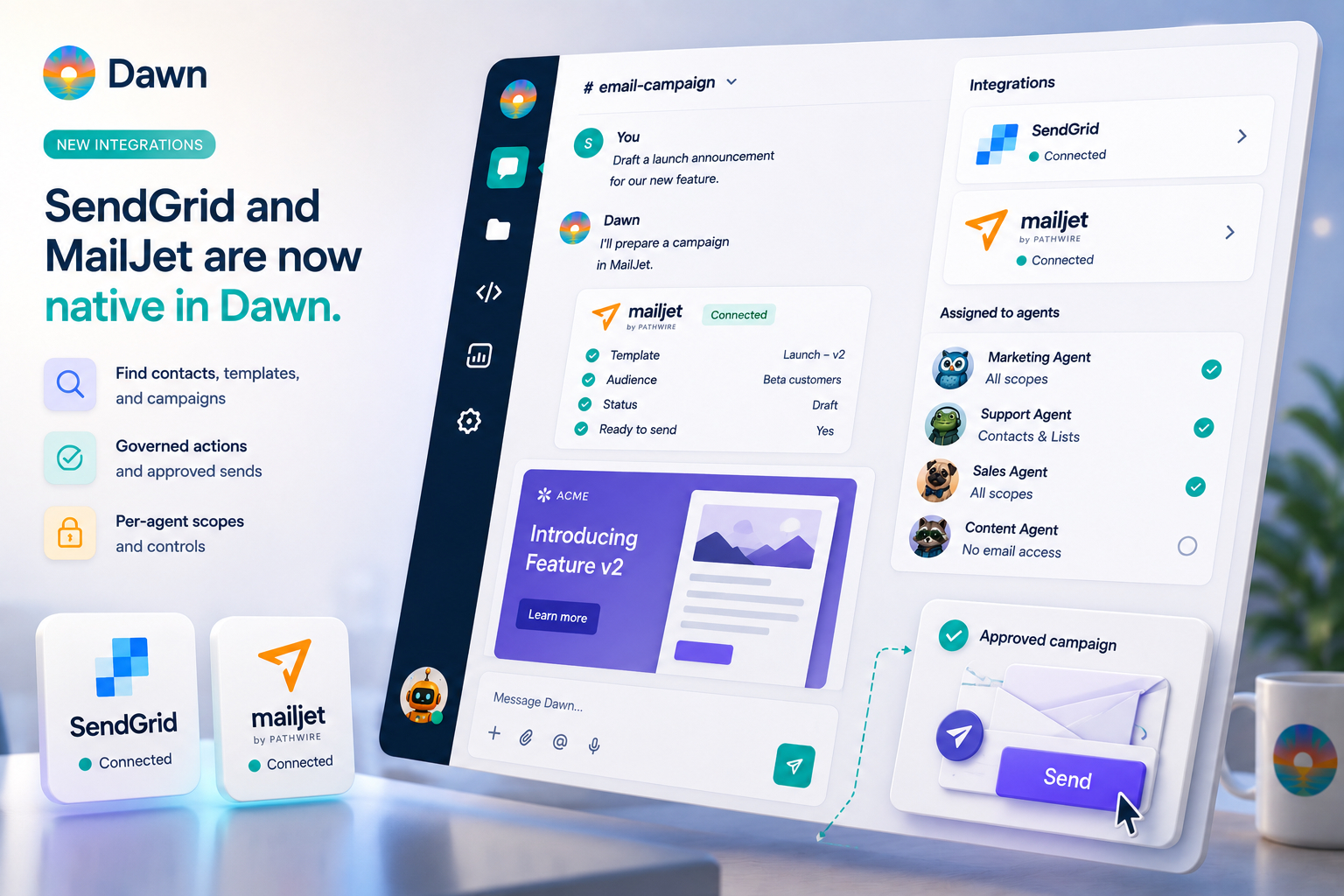
Dawn now ships first-party integrations for SendGrid and MailJet. Workspace owners and managers can connect either provider (or both) from Dawn Web, link the scopes the team wants agents to use, and assign those scopes to specific agents. Once that is done, the agent can search contacts and lists, look up templates, prepare campaign drafts, and — when the workspace explicitly allows it — send approved transactional emails or campaigns, all from the same conversations where the rest of the team’s work is happening.
These are deliberately curated integrations rather than something that has to flow through MCP Gateway. Email is a place where provider-specific UX matters — the sender identity verification, the API region, the scope shape, the difference between a transactional send and a marketing send. First-party integrations get to handle those details properly. MCP Gateway stays the answer for the long tail; SendGrid and MailJet are now in the curated set.
A support lead wants to follow up with customers affected by an incident. A product manager wants to know if a launch announcement template already exists. A growth teammate wants to draft a campaign update from the latest release notes. The conversation is happening in Slack, Teams, Telegram, or Dawn Web — and the answer always lives in SendGrid or MailJet.
Until now, that was a handoff. The agent could draft the message, reason about the audience, and pull the right context from connected docs and tickets. But the email account itself was outside the workspace, so somebody still had to open the provider UI to actually do the work. This release closes that handoff. The contact lists, templates, and campaign drafts are now reachable from the same agent thread as everything else.
What You Can Ask the Agent to Do
Once the integration is connected and scopes are assigned, agents can work across the email account in plain language. The shape is the same for both providers, with provider-specific details handled under the hood.
For contacts and lists: search contacts, look up audience composition, add or update contacts, and manage list membership. For templates: search the library, look up specific templates, create new ones, and update existing ones. For campaigns: search the drafts, look up the current state, update content, send tests, and — when write tools are enabled — send or schedule the approved version.
Three asks that show the shape:
Find the contact list we use for beta customers and summarise the current audience size.
Check whether we already have a template for the onboarding follow-up email — and if there's a similar one we used last quarter.
Draft a campaign update for the customers affected by yesterday's incident, using the incident channel context, and prepare it for review in MailJet.
The user stays in the conversation. Dawn reaches into the connected provider only through the scopes assigned to the agent, and returns the answer or prepares the requested work in context.
How the Two Providers Differ
The capabilities map cleanly across both providers, with the natural shape of each ESP showing through.
MailJet exposes contact lists, templates, and campaigns as the three scope buckets. Agents can search contacts and lists, manage list membership, search and edit templates for governed transactional sends, and operate campaign drafts including sends and scheduling.
SendGrid uses contact lists and segments, dynamic templates and versions, and campaigns. Agents can search contacts, lists, and segments, manage list membership, search and edit dynamic templates and their versions, send transactional emails through approved templates when write tools are enabled, and operate Single Send drafts including tests and scheduling.
Either way, the agent works against the workspace’s connected provider account with the sender identity and API region the owner configured up front. Sender verification, API key handling, and provider account boundaries all live with the connection — not in the prompts users type.
Design the Template in Dawn, Then Publish It
The new integrations pair naturally with HTML artifacts. Ask the agent for an HTML email design — a launch announcement, a transactional notification, an onboarding step — and Dawn produces a previewable artifact in the conversation. Iterate on the layout, the copy, and the dynamic placeholders in the same thread. When the design is ready, publish it directly to MailJet or SendGrid as a template, with no copy-paste between tools and no hand-tuned export to fix.
That collapses what used to be a multi-tool dance: design somewhere, export the HTML, paste it into the ESP template editor, fix what broke, save it, hope it renders the same on send. Now the loop is ask, preview, iterate, publish — all in one conversation. Pair the artifact authoring with a memory page holding the brand voice, the layout rules, and the do-not-use list, and new templates land on-brand the first time.
The same governance applies that covers every other write: publishing a template counts as a write action, so the agent needs the template scope assigned before it can create or update template content in the provider account.
Keep the Templates You Already Have in Shape
Template authoring is only half of the story. The other half is the templates that already exist — the ones written six months ago by someone who has since moved teams, the ones that still mention a feature flag that was retired, the ones whose merge variables have drifted from the data the production system actually sends, the ones whose copy is half a tone change behind the rest of the brand.
Dawn can pull every template in the connected MailJet or SendGrid account and audit them against the team’s standards. Compare each one against the brand voice memory page and call out the drift. Check that the merge variables on each template still match the payload the application sends today. Verify the copy is consistent across the onboarding sequence, that accessibility basics — alt text, heading structure, contrast, mobile width — hold up, and that the styling still matches the current design language. Send test emails through the agent with realistic sample data and inspect the rendered output in the same thread before anything goes live.
Pair the audit with a scheduled task that runs once a quarter and posts a “templates needing attention” digest in the team channel, and the question “are our emails still right?” stops being something somebody has to remember to ask.
Scoped by Agent, Not Open to Everyone
Connecting an email provider does not automatically give every agent the run of it.
Dawn uses per-source scopes for both integrations. The workspace owner picks which scope buckets to link — contacts, templates, campaigns — and assigns each one to the specific agents that should have it. A planning agent might get read-only access to templates and campaigns. A support agent might get contacts and list membership. A growth-focused agent might get the full set, including writes for approved sends.
That matters because email work has real external side effects. Searching a contact list is one kind of action. Editing a template is another. Sending an approved campaign is a different kind of action again. Dawn keeps those differences visible by gating contact updates, template edits, campaign changes, and any send behind explicit write-tool assignment. Most teams will start with read-only scopes for discovery and review, then enable writes for the agents that are meant to operate email workflows once they trust the setup.
The model matches how every other Dawn integration handles writes — see the governance pattern in the MCP Gateway launch — and means email integrations behave like the rest of the workspace, not like a special exception.
Where This Helps Day to Day
The everyday wins land across several roles:
Support Engineers can ask an agent to look up the right contact list before drafting an incident follow-up, or check whether the customer they’re helping is already in the right segment. The handoff to email stops being a tab switch.
Marketing & Content can check whether an announcement template already exists, design a new HTML template as a previewable artifact and publish it directly to the provider, or prepare a Single Send / campaign from the latest release notes — without copying context between Notion, the tracker, and the ESP. Pair the new email integration with memory pages holding your brand voice and the templates start matching the voice automatically.
Customer Success Managers can prepare a follow-up to a customer cohort using the connected CRM data alongside the right ESP segment, without manually reconciling the two.
Account Executives can pull the right outbound template, draft the personalised follow-up from the call notes, and queue it through the team’s approved sender — all from the conversation that the deal is already happening in.
A small loop worth highlighting: a scheduled task that posts a Friday digest of campaigns sent that week, audience growth, and recently changed templates is now a one-line setup. Email operations turn into something the team can read at a glance instead of something somebody has to remember to check.
Try It
A few asks that pay back on day one:
Find the contact list we use for product-led signups and tell me how it has changed in the last week.
List the dynamic templates we have for onboarding emails, with their version numbers and the last edit date.
Design an HTML email template for our product launch announcement, using our brand voice memory page — keep it accessible and mobile-friendly — and publish it to SendGrid as a dynamic template I can review before going live.
Pull every template in our SendGrid account and compare each one against the brand voice memory page — flag the ones that have drifted on tone, the ones still mentioning retired features, and the ones with stale styling.
Check the merge variables on the welcome-email and password-reset templates against the payload our auth service actually sends today, and flag anything that no longer matches.
Send a test of the order-confirmation template to my email with realistic sample data, and tell me what to verify before approving for production.
Draft a Single Send announcement from the merged PRs in the billing project this week, using our brand voice memory page, and prepare it in SendGrid for review.
Look up the campaign we sent for last month's release and propose a similar one for the next launch — same audience structure, updated content.
Add this list of customers (CSV in thread) to our beta contact list, and tag them with "billing-beta-q2".
If the agent has the right scopes, the work happens in the conversation. If not, Dawn explains what is missing and points at the right owner to ask.
What This Release Does Not Replace
SendGrid and MailJet remain the systems of record for email delivery.
Dawn does not replace provider analytics, bounce and complaint handling, delivery dashboards, open and click reporting, deliverability tooling, or the provider audit history. Those still belong in the ESP. Dawn’s role is to help the team find, prepare, and operate the right email objects when the team is already in a conversation about them — not to be a parallel ESP UI.
The boundary is intentional. The provider remains responsible for delivery and observability. Dawn is responsible for making the contacts, templates, and campaign drafts feel like part of the workspace.
Getting Started
Owners and managers can connect either or both integrations from Dawn Web under Integrations.
For MailJet, create or reuse a MailJet API key and secret, confirm the sender address is verified, choose the correct MailJet API host, then link the contact list, template, and campaign scopes that agents should use.
For SendGrid, create or reuse a SendGrid API key, confirm the sender identity is verified, choose the correct API region, then link the contact list and segment, dynamic template, and campaign scopes that belong in Dawn.
The setup guides cover the exact steps:
Once the scopes are linked and assigned, your team can use MailJet and SendGrid in the same Dawn conversations where they already plan launches, handle incidents, answer customer questions, and run the rest of the work. Email stops being the place you switch to and starts being part of the place you already are.