Dawn Can Now Generate and Preview HTML Artifacts
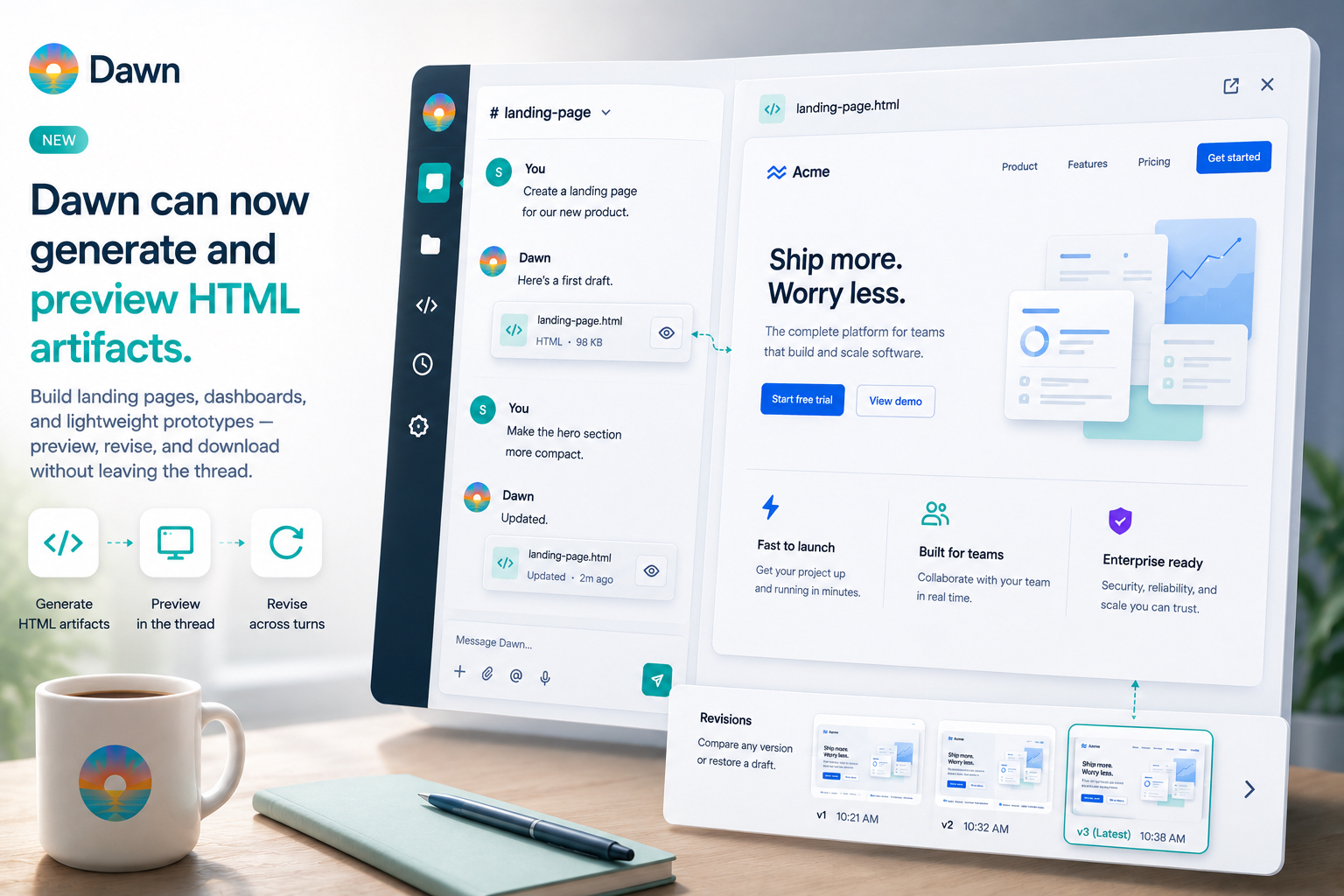
Ask Dawn for a landing page, dashboard, status board, or lightweight prototype and it now returns a previewable HTML artifact you can open, revise, and download from the same thread.
Read more
Product updates, new features, engineering deep-dives, and guides for the Dawn AI agent platform.
Ask Dawn for a landing page, dashboard, status board, or lightweight prototype and it now returns a previewable HTML artifact you can open, revise, and download from the same thread.
Read more
Scheduled tasks let Dawn run an agent prompt later or on a recurring schedule, then post the result back into the conversation or channel where the work belongs.
Read moreMemory pages give Dawn agents durable workspace context, so teams can keep decisions, runbooks, facts, and reference material in one place instead of repeating them in every thread.
Read moreDawn is now available as a first-party VS Code extension, so you can use Dawn in the editor, keep private threads separate from shared workspace chat, and let Dawn work against the codebase you already have open.
Read moreWorkspace owners can now link an existing OpenAI ChatGPT account so Dawn exposes those OpenAI models without consuming Dawn credits.
Read moreDawn workspaces now let owners add their own OpenAI, Anthropic, and OpenRouter API keys so teams can use their existing provider accounts without consuming Dawn credits.
Read moreDawn agents can now read from Confluence spaces and Notion page trees, so answers are grounded in the documentation your team already maintains.
Read moreDawn can now connect your Slack, Teams, Telegram, or Discord identity to your Dawn account, so the product recognizes you consistently no matter where you use it.
Read moreType / in Dawn to discover available commands. This release ships /help for guidance, /whats_new for changelog updates, and /link for identity linking — all discoverable directly from the chat composer.
Read moreDawn skills let teams capture how an agent should handle specific work — formatting, tone, checklists, document structure — and reuse it without restating the same prompt every time.
Read more