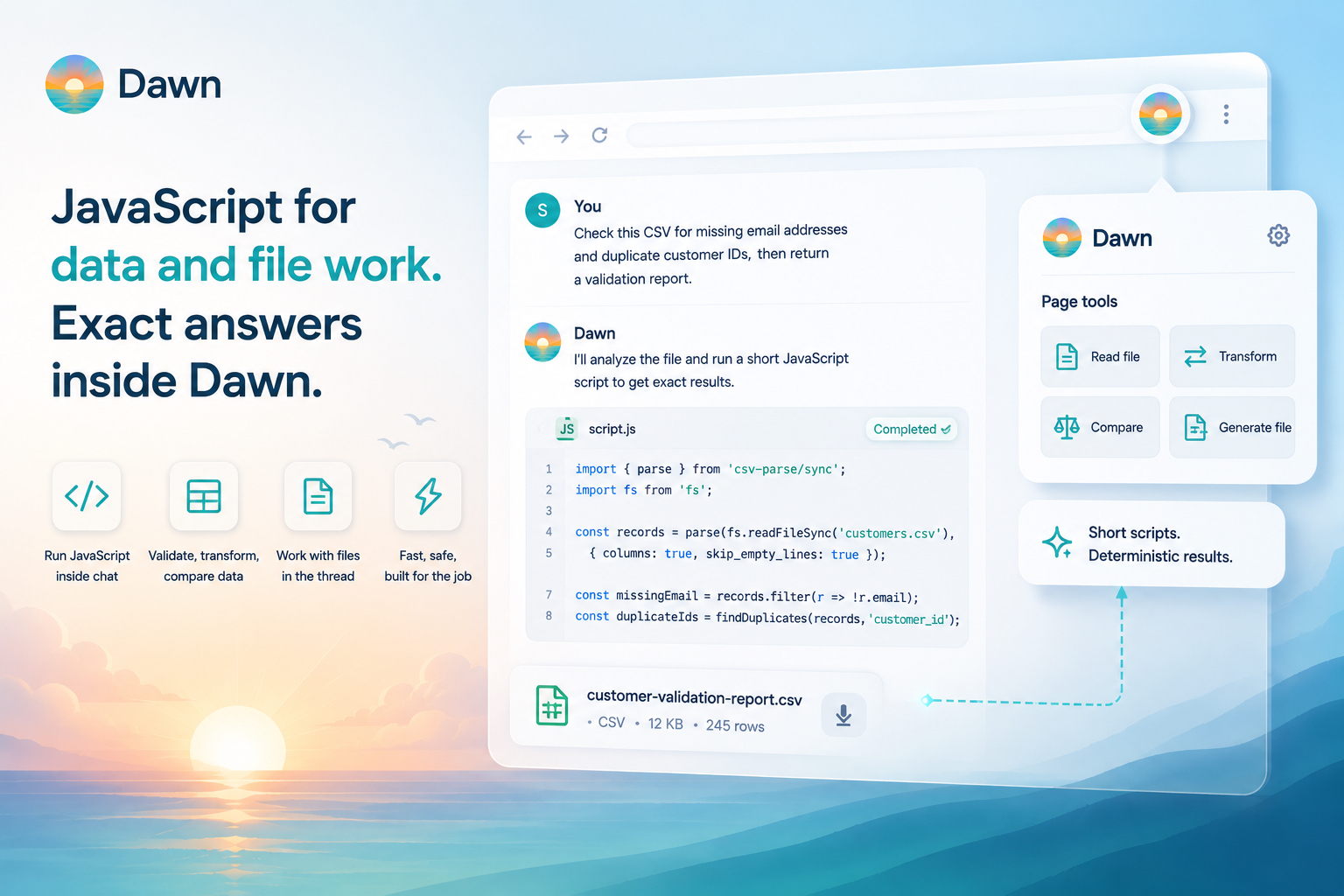
Dawn agents can now run JavaScript inside a conversation. When a task calls for precise validation, repeatable transformation, a real diff, or a generated file, the agent writes and runs a short script instead of trying to do everything in prose.
This is the part of Dawn that prefers exact answers over plausible ones. A model can describe what a CSV probably contains; a script can count and deduplicate the rows. A model can guess at the differences between two JSON files; a script can produce a real diff. A model can summarise what a folder of markdown files looks like; a script can walk the files and report the actual structure. There was always a class of task the model understood in principle but could not complete in prose, because the data was simply too much to track word by word. Scripts handle that case.
Scripts run inside the agent process, with no separate environment to open and no repository to check out. Attach the files, ask for the result, and Dawn picks code or prose based on what the task actually needs.
When a Script Beats a Guess
Some questions only have one right answer.
How many rows are in this CSV. How many are missing an email. Which JSON fields changed between v1 and v2. Which markdown files have broken links. Those are factual questions about data, and they should not depend on a model reading carefully and remembering correctly. A script can compute the answer; the agent can then explain it.
The two roles work together. The script handles the deterministic part. The agent decides when a script is needed, frames the result, and continues the conversation from there.
Work With the Files Already in the Thread
Scripts read files that are already in the Dawn run and write new ones as workspace outputs.
That fits how teams already work in Dawn (see Files, Attachments, and Previews for how files travel with a conversation). Attach a file, mention an existing file, or work with something Dawn generated earlier in the thread. The agent can run a script over those inputs, return a summary, and attach the generated output: a cleaned CSV, a validation report, a comparison file, a derived JSON, a structured table pulled from a folder of markdown.
The file stays inside the Dawn workflow. You do not need to copy contents into the prompt, paste them into a local tool, or download a file just to run a quick transform somewhere else and bring the result back.
What Scripts Are Best At
The best scripts are short and specific. Validate a file, reshape a table, compare two inputs, build a small report, generate a derived text file. That is where this feature is strongest: the parts of the job that should not depend on language-model judgment.
These are normal Dawn prompts:
Check this CSV for missing email addresses and duplicate customer IDs, then return a validation report.
Compare these two JSON exports and show me what changed.
Read the markdown files in this thread and create a table of headings, links, and missing metadata.
The user does not write the script. The agent decides when a script is the right tool and runs it as part of completing the task.
Built for Short, Fast Work
Scripts run in the same process as the Dawn agent. No virtual machine to spin up, no container to start, no remote sandbox to wait on. A 50-line transformation can return in miliseconds, which is what makes scripts feel like part of the conversation rather than a separate computation step.
The tradeoff is size. Memory and CPU are limited, and the runtime is built for short scripts, not multi-minute crunching. Validate a file, reshape a table, diff two JSON exports, walk a folder of markdown. Those are the right shape. A long-running computation over a very large dataset is not. When a job needs more headroom, use a workflow, a connected source, or a real environment outside Dawn.
For the kind of work the feature is built for, short and fast is exactly what is useful.
Where Scripts Don’t Go
Scripts are scoped to data and file work, not general-purpose computing. They do not install packages, run builds, execute tests, reach secrets, browse the network, automate the browser, or operate on a host filesystem.
That boundary is what keeps the feature predictable. Scripts are a precise tool for the files and data already in the conversation. When a task really needs a full development environment (running a test suite, building a project, working against a live repository), use the Dawn CLI, the VS Code extension, a connected source, or a workflow instead.
Dawn Has a Skill for That
Dawn ships with a built-in Skill that explains when and how scripts should be used. The agent reads it before deciding whether to write code or stay in prose, so you do not need to coach the agent on the right shape of a script every time.
That keeps the feature predictable in practice. The agent reaches for a script when one genuinely helps, sticks to prose when prose is enough, and follows the same conventions across the workspace. As your team’s needs grow, the Skill can be extended like any other workspace Skill.
From a Working Script to a Reusable Pattern
A script that proves useful once is often useful again.
If a team keeps asking Dawn to validate the same export format, compare the same kinds of files, or generate the same report, the pattern is ready to become something more durable: a Prompt Command, a Skill, or a Workflow, depending on how the team wants to run it.
Scripts are a good place to prove the shape of the work. Once the pattern is stable, Dawn’s reusable workspace features can carry it forward.
Getting Started
Attach or mention the files you want Dawn to work with, then ask for the result in plain language:
Validate this file and give me a downloadable report.
Normalize this CSV and attach the cleaned version.
Compare these two markdown files and summarize the structural differences.
Related guides and posts:
JavaScript scripts give Dawn an exact way to handle small data and file tasks. The conversation stays human. The repetitive checking, transforming, and reporting can now be handled with code when code is the better tool.