Update
Files, Attachments, and Previews Work More Naturally
Dawn now makes files easier to mention, preview, inspect, and reuse across chat, generated outputs, screenshots, and agent-created artifacts.

Dawn Team
Product Engineering
Dawn now makes files easier to mention, preview, inspect, and reuse across chat, generated outputs, screenshots, and agent-created artifacts.
Dawn Team
Product Engineering
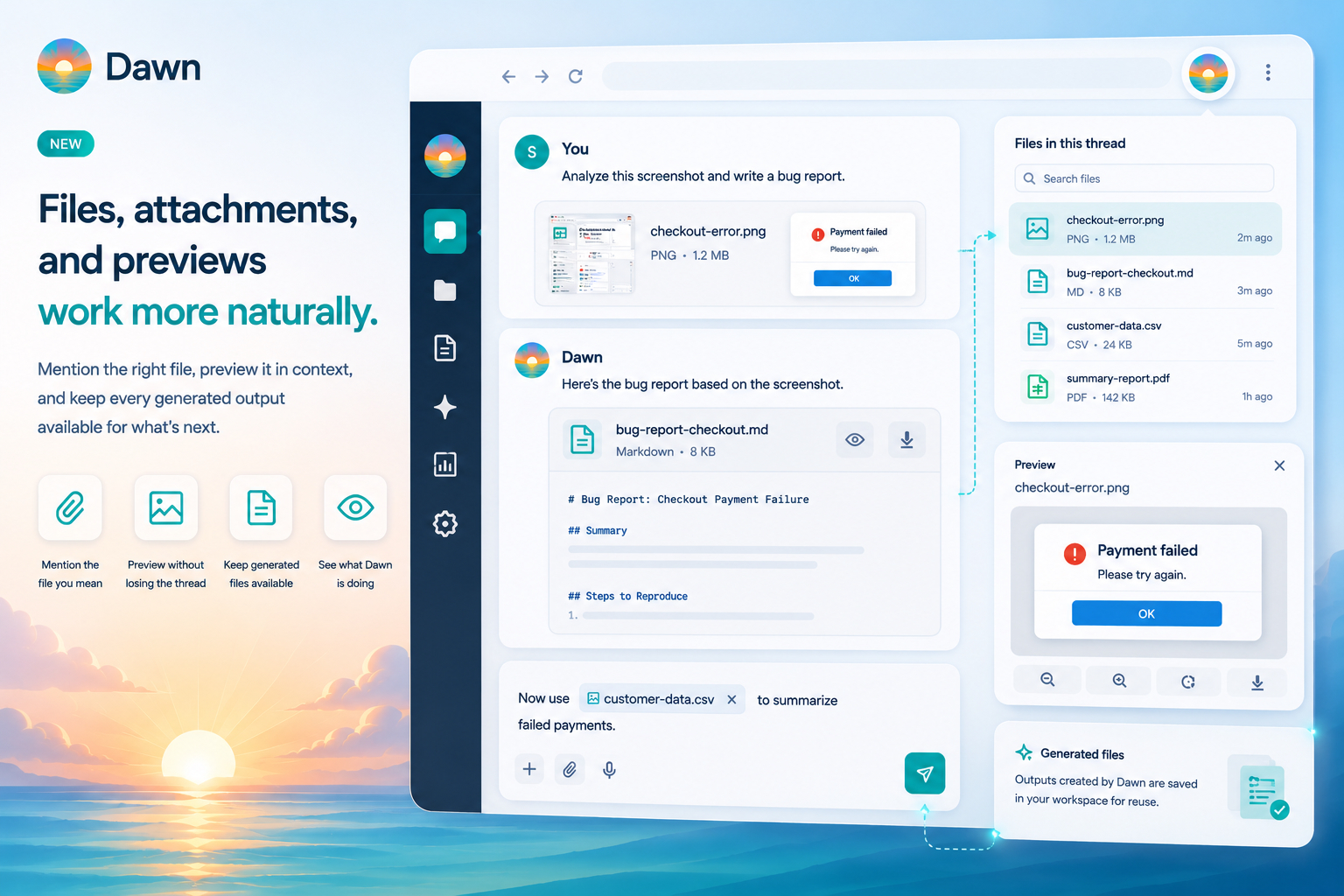
Files and attachments now work more naturally in Dawn. You can mention files in chat, preview attachments without losing the conversation, work with images and documents more directly, and keep generated outputs available after the message that created them.
Many Dawn requests begin with a file: a screenshot, a recording, a spreadsheet, a document, an image, a generated artifact, or a file from an earlier thread. This release makes those files easier to work with at every step.
When a thread has more than one file, “use the file above” is not always enough.
Dawn now supports a file mention flow in the composer. You can point the agent at the specific file you want to use, then ask for the next step: summarize it, transform it, compare it, convert it, extract information, or use it as input for a generated output.
That makes longer threads easier to manage. A design review can include multiple screenshots. A document workflow can include source files and generated versions. A transcription thread can include the original media and the transcript. File mentions help the agent work on the right item.
Attachments are easier to inspect from the conversation.
Images, generated files, and supported document outputs can be previewed in Dawn Web without forcing a download-first workflow. That is useful when an agent returns several variants, when you want to confirm that a generated image is the right one, or when a file is part of a longer discussion and you need to glance at it before continuing.
The files panel and attachment preview let you keep the conversation open, inspect the file, and continue from the same context.
When Dawn creates a file, that file should remain usable.
Generated outputs are now durable workspace files instead of disposable blobs tied to one message. They still appear as attachments in chat, but the file itself is available for later preview, download, and reuse where the workspace allows it.
That matters for workflows where the output is the work: transcript files, image variants, converted documents, generated archives, spreadsheets, HTML artifacts, reports, and scripts. The message explains what happened. The file is the thing the team keeps.
Screenshots and document inputs use the same attachment model as the rest of Dawn.
Capture a screenshot, upload a document, or ask Dawn to work with a generated artifact, and Dawn stages that file as context for the agent. Attach or mention the file, ask the question, receive a usable output.
This is especially helpful for bug reports, design feedback, support analysis, and document-heavy work. A screenshot can become a bug explanation. A generated document can be revised. An image can be converted or cropped. A transcript can become action items.
File-heavy work can take several steps.
Dawn now exposes more detail about what the agent is doing while a step is running, including the inputs it is working with when verbose progress is enabled. Details stay collapsed by default so the normal chat stays readable, and they expand when someone wants to see exactly what Dawn is operating on.
That is useful for debugging and trust. If Dawn is converting a file, opening an attachment, cropping an image, or generating an output, you can inspect the work without turning every run into a noisy log.
Attach a file to a Dawn conversation or mention an existing file in the composer. Then ask for the result you want:
Summarize this transcript and pull out decisions, action items, and open questions.Use this screenshot to write a bug report with expected behavior, actual behavior, and reproduction steps.Convert this generated image into the size we need for the blog hero.Related guides and posts:
Files now travel with the conversation instead of stopping at the message that introduced them.